
Brother PT-1080 ‘Back to School’ Label Printer
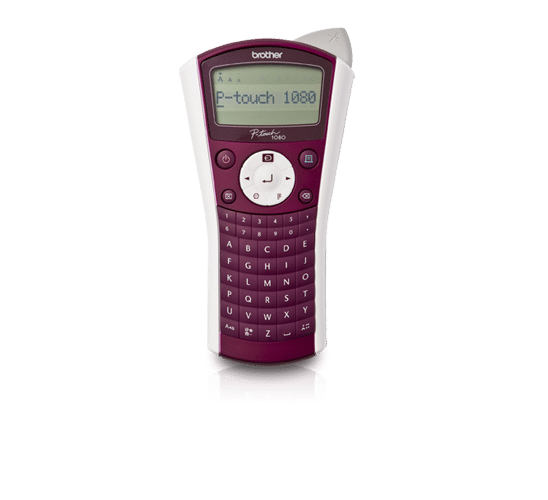
“Label everything that matters with this hand-held labelling machine”
Brother’s PT-1080BTS is an affordable hand-held labelling machine, perfect for home, school or in the office. Printing durable, long-lasting labels, there’s no end to the possibilities – from school books, lunch boxes, pencil cases, CD covers, food storage and filing cabinets – in fact you can label just about anything that matters.
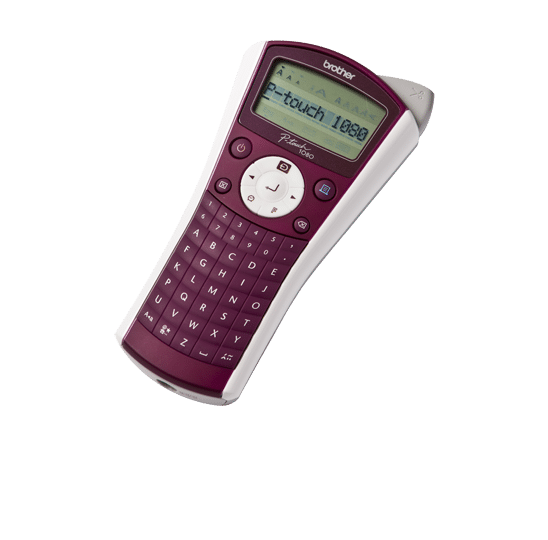
Some Of It’s Key Benefits:
- Save time up to 10mm per second
- Durable labels up to 12mm, able to handle extreme conditions
- Convenient built-in cutter
- Easy to use ABC keyboard
- Easy-to-read LCD screen
- Includes 12mm black on white tape (4m) and 6 x AAA batteries.
The PT-1080 produces tape and fabric labels, which can be used to label a variety of items – from school clothes and shoes, exercise books, pencil cases, lunch boxes and CD covers.
The Brother PT1080 is priced at £29.99, including a three year warranty, and is available from major high street retailers including Argos, Tesco, PC World and Currys.
We were sent our very own “Back To School” labeller last week (free of charge for the purpose of this review) to test out and review. I’ve never used a labelling machine of any sort before so I was a little worried about how I would get on but I needn’t have been. The Brother labeller was very easy to set up, it was simply inset the batteries and pop in the labels cartridge. There was no messing about trying to line it up or put it in a certain way. It was just pop it in and go!
The labels themselves were very simple to produce, you just typed in what you wanted your label to say and clicked print. Once printed, which literally took a few seconds you could then click the cut button which then neatly cut your label for you. I thought this feature was pretty cool.
We printed labels for Chloe’s Pencil Case saying “Chloe’s Hands Off” and bedroom door stating “Stay Out”. You can easily get carried away and print labels for everything, I found myself printing a few extras for myself like one for my Coca Cola bottle saying “Hands Off” and also one for my iPad saying “Mummies”. Lily just wanted lots of labels saying “Princess Lily” that she could stick on herself, I did draw the line after three. I’m sure she would have stuck many more onto the front of her T shirt but I didn’t want to waste all our labels on her silliness.
The Brother PT-1080 Label Printer is a great buy for the price of £29.99. It’s well built and very easy to use. It has so many uses and you really can make labels for every need. So, It’s not only life saving (school wise) and practical but It’s also lots of fun. I give this label printer a well deserved 5/5, it does the job it says it does and it does is well. There’s nothing I would change or want to improve, it’s great just the way it is.


This labelling machine sounds like a fantastic little device and very useful. It really will come in very handy for all sorts of things. Thanks for the post!